


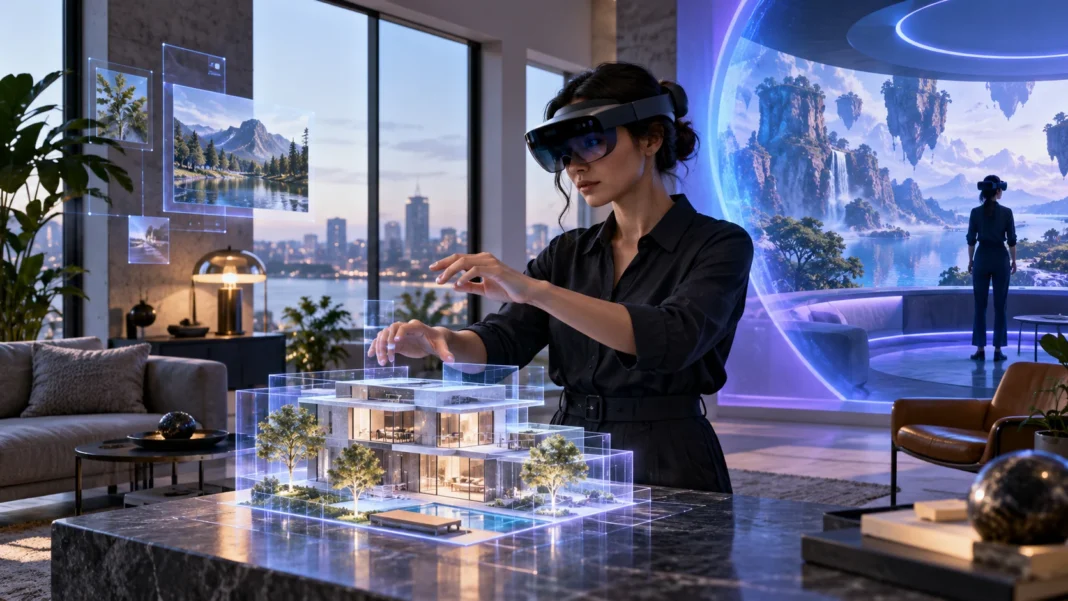
What Is Extended Reality?
Extended reality, or XR, is an umbrella term for technologies that blend digital content with the physical world or create fully computer-generated experiences. The term includes augmented reality (AR), virtual reality (VR), and mixed reality (MR). Each offers a different way to see, interact with, or move through digital environments.
XR experiences can appear on a smartphone, a tablet, a headset, or specialized glasses. Depending on the technology, digital elements may sit on top of your view of the real world, respond to your surroundings, or replace them completely. The goal is to make digital information feel more visual, immediate, and interactive.
You may encounter extended reality in games, product demonstrations, workplace training, education, and remote collaboration. The technology is also connected to spatial computing, where digital devices understand and respond to the space around a person. These terms overlap, but they describe related ideas rather than exactly the same thing.
What Is Augmented Reality (AR)?
Augmented reality adds digital content to a view of the real world. A phone camera might show virtual furniture in a living room, or an app could place labels over objects as you point the camera at them. The physical setting remains visible while graphics, text, sound, or animation appear alongside it.
Many people already use AR without wearing a headset. Social media filters can add digital effects to a face, while navigation apps may place directional arrows over a live camera view. These experiences often rely on a smartphone’s camera, motion sensors, location data, and software that estimates where digital content should appear.
AR is useful when people need extra information while still looking at their surroundings. A technician might see repair instructions beside a machine, or a shopper could preview a product at home. The experience can be simple, such as a face filter, or more advanced, with digital objects that react to real surfaces and movement.
What Is Virtual Reality (VR)?
Virtual reality creates a computer-generated environment that surrounds the user. A VR headset typically covers the eyes and displays a separate image to each eye, creating a sense of depth. Head tracking updates the scene as the user looks around, while controllers or hand tracking allow interaction with virtual objects.
Unlike AR, VR usually replaces the user’s direct view of the physical environment. This can make it feel as if you are inside a game, visiting a simulated location, or practicing a task in a digital training space. Some VR experiences also use headphones, hand controls, or other accessories to make the environment more immersive.
Virtual reality is used for entertainment, design reviews, education, and skills practice. A trainee can rehearse a procedure in a controlled simulation, while a designer can inspect a three-dimensional model at full scale. VR can support activities that are difficult, expensive, or impractical to recreate repeatedly in a real setting.
What Is Mixed Reality (MR)?
Mixed reality combines digital content with a view of the physical world, allowing the two to interact in more responsive ways. A digital object may appear anchored to a real table, remain in place as someone moves, or react when a person approaches it. MR systems use sensors and software to understand parts of the surrounding space.
Mixed reality headsets often include cameras, depth sensors, and displays that let users see both digital content and their surroundings. The system may map walls, floors, and objects so virtual elements can fit into a room. Some devices use transparent lenses, while others show a camera view of the real world on screens.
The boundaries between AR and MR can be blurry because product makers use the terms differently. A basic AR filter may simply overlay an image, while a more advanced AR experience may understand surfaces and movement. MR generally emphasizes interaction between digital objects and the environment, but the exact capabilities depend on the device and software.
What Is the Difference Between AR, VR, and MR?
The simplest way to compare AR, VR, and MR is to ask how much of the physical world remains visible and how digital content behaves. AR adds information to the real world, VR immerses the user in a digital environment, and MR connects digital objects with the user’s surroundings in interactive ways.
| Technology | What the user sees | Typical interaction |
|---|---|---|
| AR | The physical world with digital overlays | View or tap digital content |
| VR | A computer-generated environment | Move and interact inside a simulation |
| MR | The physical world combined with responsive digital objects | Manipulate digital content in relation to real space |
These categories are helpful, but real products do not always fit neatly into one box. A headset might support immersive VR as well as a camera-based view of the room with digital overlays. When comparing XR devices, consider the display, sensors, tracking, controls, and intended tasks rather than relying on the label alone.
How Does Extended Reality Work?
An XR system combines hardware and software to present digital content in the right place and at the right time. Cameras and sensors gather information about the user’s movement and surroundings. A processor interprets that information, and the display updates the image so it responds to the user’s position, actions, or gaze.
Position tracking helps the system estimate where the user is looking or moving. For AR and MR, the device may also identify surfaces, edges, or nearby objects so digital elements appear anchored to the scene. In VR, tracking commonly keeps the virtual viewpoint aligned with the user’s head and controller movements.
The experience depends on several parts working together with little delay. If the image updates too slowly, a user may notice lag between movement and what appears on screen. Developers also consider visual clarity, field of view, comfort, sound, and input methods, since each affects how natural and usable an XR experience feels.
What Devices Are Used for XR?
Smartphones and tablets are among the most accessible AR devices. Their built-in cameras, displays, motion sensors, and processors can support experiences such as virtual try-ons, interactive learning, or navigation overlays. Because people already own these devices, mobile AR can reach a wide audience without requiring a separate headset.
VR headsets are designed to provide an immersive view of a digital environment. Some connect to a computer or console, while others run applications on the headset itself. Mixed reality headsets add cameras and sensors that let users see their surroundings and place digital content within them, though features vary across models.
Other XR equipment can include motion controllers, hand-tracking systems, headphones, gloves, and room sensors. Each tool gives users another way to interact or receive feedback. For example, a controller can provide precise input, while hand tracking may make interactions feel more direct. The right setup depends on the experience and the user’s needs.
How Is XR Used in Everyday Life and Business?
In retail, AR can help customers preview furniture, glasses, makeup, or clothing before making a decision. A shopper might place a virtual sofa in a room or see how a product looks from different angles. These tools can make product information easier to visualize, especially when a physical sample is not available.
Schools and training programs use XR to demonstrate concepts and create practice environments. Students might explore a three-dimensional model of the solar system, while employees can rehearse equipment procedures in a virtual setting. Simulations allow learners to repeat tasks and receive feedback without needing to recreate every real-world condition.
Businesses also use XR for design, maintenance, and collaboration. Teams can inspect a shared three-dimensional model, or a remote expert can guide someone through a repair using visual instructions. In manufacturing and construction, placing digital plans alongside a physical workspace may help workers understand layouts and identify issues earlier.
What Are the Benefits of Extended Reality?
XR can make complex information easier to understand by presenting it visually and in context. Instead of reading a flat diagram, someone may examine a model from different angles or see how a component fits into a larger system. This can support learning, product evaluation, and communication when spatial relationships matter.
Immersive simulations provide a way to practice tasks in a repeatable environment. A learner can pause, restart, and try again without using physical materials or exposing equipment to unnecessary wear. For some kinds of training, this makes it easier to offer consistent practice across locations and groups.
XR can also support remote work by helping people share visual context. A technician may show a machine to a remote colleague, or a design team can review a three-dimensional object together. These tools do not replace clear instructions or good collaboration, but they can make some shared tasks more visual and concrete.
What Are the Challenges and Limitations of XR?
XR devices can be costly, and some experiences require powerful computers, stable networks, or dedicated spaces. Headsets may feel heavy or uncomfortable during extended use, and battery life can limit mobile sessions. Organizations also need to consider setup, maintenance, software access, and training before adopting XR at scale.
The quality of an experience depends on tracking accuracy, display resolution, field of view, and responsiveness. If a digital object drifts, appears blurry, or reacts slowly, it may be distracting rather than helpful. Developers must also make sure that controls are understandable and that experiences work for people with different abilities and needs.
Privacy and safety deserve attention as well. XR devices may collect camera footage, movement patterns, voice data, or information about the surrounding environment. Good design should explain what is collected and why, protect user data, and help people remain aware of their physical surroundings when an experience uses a headset.
What Is the Relationship Between XR and Spatial Computing?
Spatial computing describes ways that computers understand and interact with physical space. A system may recognize surfaces, track movement, or place digital objects in a room so they remain fixed as a person moves. This can make digital content feel connected to the environment rather than confined to a flat screen.
XR devices can be tools for spatial computing, especially when they map rooms and let users interact with digital content in three dimensions. However, spatial computing is broader than headsets alone. It can also involve phones, sensors, software, and other devices that respond to a person’s location or surroundings.
If you want to explore how these ideas connect, read this guide to spatial computing. Understanding the relationship can help explain why XR is more than a visual effect: some experiences use spatial awareness to position content, support interaction, or provide information in context.
How Can You Choose the Right XR Technology?
Start with the task you want to complete. If you need to add a small amount of information to a real-world view, AR may be enough. If you want users to focus on a fully simulated environment, VR may fit better. If digital content needs to interact with physical surroundings, consider MR capabilities.
Think about who will use the experience and where they will use it. A mobile AR app may be practical for customers who already have compatible phones, while a headset may work better for guided training or immersive design reviews. Consider comfort, accessibility, setup time, maintenance, and the amount of support users will need.
Before investing in hardware, test a small experience with the intended audience. Check whether the technology solves a real problem, feels comfortable, and is easy to use. Compare the cost and learning curve with simpler options, such as a video, interactive website, or standard 3D model, then expand only if XR adds meaningful value.
Conclusion
Extended reality includes augmented reality, virtual reality, and mixed reality. AR adds digital elements to the real world, VR creates an immersive digital environment, and MR lets digital content respond to physical surroundings.
These technologies can support learning, design, retail, entertainment, training, and remote collaboration. Their value depends on the task, the quality of the experience, and whether people can use the devices comfortably and safely.
XR continues to develop alongside spatial computing and other interactive technologies. Understanding the differences between AR, VR, and MR makes it easier to judge where each approach is useful and when a simpler tool may be the better choice.
FAQs
What does XR stand for?
XR stands for extended reality. It is an umbrella term for augmented reality, virtual reality, and mixed reality technologies that combine digital content with physical environments in different ways.
What is the main difference between AR and VR?
AR adds digital content to a view of the real world, while VR replaces that view with a computer-generated environment. AR keeps the physical setting visible; VR is designed to immerse the user elsewhere.
Is mixed reality the same as augmented reality?
They are related, and some products use the terms differently. MR generally refers to digital objects that respond to or interact with the physical environment, while basic AR may simply overlay content.
What equipment do I need to experience XR?
You can try some AR experiences on a compatible smartphone or tablet. VR and MR commonly use headsets, and some applications also require controllers, sensors, or a connected computer.
Where is extended reality used?
XR is used in gaming, retail, education, workplace training, product design, maintenance, and remote collaboration. It is most useful when visualizing, practicing, or interacting with information in three dimensions.