


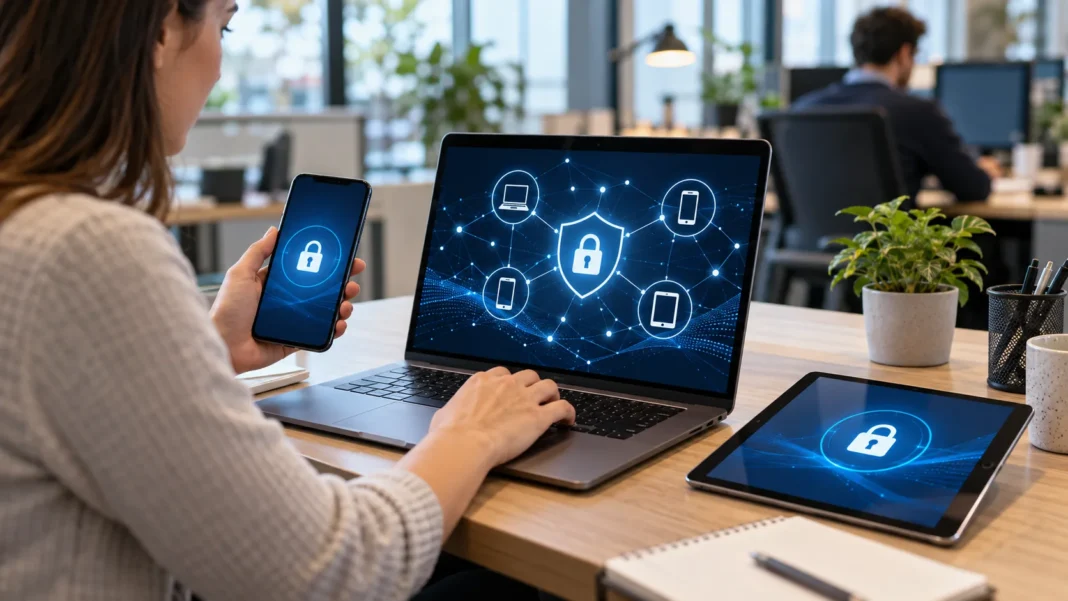
What Is BYOD in Cyber Security?
BYOD stands for Bring Your Own Device, a workplace approach that allows employees to use personal devices for job-related tasks. These devices can include smartphones, laptops, tablets, and desktop computers. In cyber security, BYOD focuses on protecting business information when people access company systems through equipment the organization does not fully own or control.
Imagine checking your work email on your personal phone or joining a company meeting from your home laptop. Both activities can be examples of BYOD when your employer permits them. While this arrangement offers convenience, it also creates security questions about device protection, account access, data storage, and what happens when a device goes missing.
Understanding BYOD security helps businesses support flexible working without leaving sensitive information unnecessarily exposed. Employees also benefit from knowing which activities are allowed and how their personal privacy will be protected. A successful approach combines practical security controls, clear workplace policies, and shared responsibility between the organization and the people using their own devices.
How BYOD Works in the Workplace
A BYOD arrangement usually starts with an organization deciding which personal devices can access its resources. Employees may then register their devices, install approved applications, or meet minimum security requirements before receiving access. Depending on the role, that access might include business email, collaboration platforms, customer management software, or selected files stored in the cloud.
The organization can apply different requirements according to the sensitivity of the work being performed. Someone viewing a meeting calendar may need fewer controls than an employee handling confidential customer records. This distinction helps businesses avoid giving every device the same permissions while still allowing people to complete the tasks their jobs genuinely require.
BYOD does not necessarily mean that employees can connect any device whenever they choose. Some workplaces allow only supported operating systems, while others restrict access to approved applications or browser sessions. The exact arrangement should explain eligibility, security checks, technical support, and the steps employees must follow before using personal equipment for company work.
Why Businesses Allow Employees to Use Personal Devices
One reason businesses adopt BYOD is that employees already know how to use their personal devices. Familiar settings, keyboards, and accessibility features can make everyday work more comfortable. This familiarity may reduce some setup and training needs, particularly when employees mainly use standard communication tools rather than specialized software or equipment supplied by the company.
BYOD can also support flexible working by making business applications available across different locations. An employee might review an urgent message while traveling or access a shared document from home. However, this convenience works best when access is properly secured and expectations about availability are clear, so flexibility does not become pressure to remain constantly connected.
Another potential advantage is reducing the number of devices a business needs to purchase. Those savings are not automatic because security tools, employee reimbursements, support, and administration still cost money. Organizations should compare the full cost of BYOD with company-owned equipment instead of assuming that using personal hardware always produces a cheaper working arrangement.
The Main Cyber Security Risks of BYOD
A central BYOD risk is the uneven security condition of personal devices across the workforce. One employee may install updates promptly, while another uses an outdated operating system or rarely locks their screen. These differences create inconsistent protection, especially when several devices can reach the same business applications, shared documents, or confidential information through authorized accounts.
Personal devices may also contain applications and browser extensions that the employer has not reviewed. Some software requests excessive permissions, collects information, or introduces vulnerabilities that affect other activity on the device. Risk increases further when employees download work files into personal storage, where the organization may have limited visibility into how those files are shared.
Lost devices, phishing attacks, and stolen login credentials create additional exposure for businesses using BYOD. A compromised personal phone does not automatically give an attacker access to every company system, but it may provide a useful entry point. The possible damage depends on account permissions, authentication safeguards, stored data, and the organization’s ability to withdraw access.
What a Clear BYOD Security Policy Should Include
A BYOD policy should describe who can participate, which devices are permitted, and which business resources they may access. It should also explain required protections, such as screen locks, supported software, and timely security updates. Clear rules give employees a practical standard to follow and help IT teams make consistent decisions when reviewing device access.
The policy needs to address everyday behavior as well as technical requirements for approved devices. Employees should understand where they may store business files, whether family members can use a work-connected device, and how to report suspicious activity. Guidance should be specific enough to prevent confusion without becoming so complicated that people struggle to apply it.
Privacy, support, and offboarding also deserve clear attention before an employee enrolls a personal device. The document should explain what the organization can see, what it can change, and whether work data can be remotely removed. Employees should receive understandable information about these controls rather than discovering their effects after a security incident or employment change.
How Device Management Helps Protect BYOD
Mobile device management, commonly called MDM, helps organizations apply and check security requirements on enrolled devices. Depending on the platform and enrollment method, it may support configuration settings, device inventory, compliance checks, and remote actions. Its capabilities vary, so businesses should confirm what a particular tool can actually control before relying on it for protection.
Mobile application management, or MAM, concentrates more closely on business applications and the information they handle. An organization might use it to limit copying work content into personal apps or remove managed business data. This approach can suit some BYOD arrangements because it may provide useful protection without requiring the same level of control over the entire device.
Neither device management nor application management makes a personal device completely secure in every situation. Their value depends on correct configuration, supported software, appropriate permissions, and employees following the enrollment process. Businesses should choose controls that match their actual needs and explain any monitoring or remote removal features clearly before allowing access to workplace information.
Why Strong Authentication and Limited Access Matter
Strong authentication reduces the chance that a stolen password alone will expose a business account. Multi-factor authentication adds another verification requirement, while phishing-resistant methods can provide stronger protection against certain credential attacks. Employees should use unique passwords where passwords remain necessary and avoid approving unexpected authentication requests simply because a notification appears on their personal phone.
Access permissions should also reflect what each person needs to do in their role. An employee who works with scheduling information may not require access to payroll files or administrative settings. Applying least privilege limits unnecessary exposure and can reduce the consequences if a personal device, business account, or active session is compromised during everyday work.
Device condition can influence access decisions alongside identity and job responsibilities in a BYOD environment. For example, a business may block a device running unsupported software or require extra checks before allowing sensitive activity. These decisions should be reviewed as roles and devices change, because permissions that were appropriate last year may no longer fit current needs.
Separating Business Information From Personal Data
Keeping business and personal information separate makes BYOD easier to manage and understand for everyone involved. Managed applications, dedicated work profiles, and controlled document storage can help create that separation on supported devices. The goal is to reduce unnecessary mixing, particularly when employees use the same phone or computer for family communication, entertainment, shopping, and professional tasks.
Separation can also help prevent accidental sharing through personal accounts and applications during routine work. An employee might otherwise upload a confidential attachment to a personal cloud drive or send it through an unapproved messaging service. Clear storage rules and sensible application restrictions make approved options easier to follow while reducing reliance on memory and individual judgment.
Businesses should explain that separating data does not eliminate every possible route through which information can escape. Screenshots, manual copying, and misuse of authorized access may still create problems, depending on the controls available. Technical measures therefore need to work alongside employee training, proportionate oversight, and practical procedures for handling sensitive information throughout its working life.
Protecting Personal Devices During Remote Work
Remote working introduces different surroundings, networks, and distractions that can affect the security of personal devices. Employees should keep operating systems and approved work applications updated, enable appropriate screen locks, and use encryption where supported. These basic measures help protect stored information and reduce exposure to known software weaknesses that attackers may try to exploit.
Network protection also matters when employees access work resources away from the office on their devices. They should follow their organization’s guidance for secure connections and use an approved VPN when the working arrangement requires one. A VPN can protect certain network traffic, but it cannot prevent every threat, such as phishing, malicious software, or misuse of an unlocked device.
Physical surroundings deserve attention alongside software and network settings when working remotely or while traveling for business. Employees should avoid leaving devices unattended in public places or displaying sensitive records where others can easily read them. At home, separate user accounts and clear household boundaries can help reduce accidental access when personal equipment is shared with other people.
Balancing Employee Privacy With Business Security
BYOD creates a privacy challenge because the device belongs to the employee while some of its information belongs to the business. People may reasonably worry about personal photographs, messages, browsing activity, or location information being visible to their employer. A responsible program explains its actual visibility and permissions instead of using vague statements about keeping devices secure.
The level of visibility depends on the operating system, management tools, enrollment method, and settings used by the organization. Some arrangements focus on managed applications, while others allow broader device administration. Businesses should document these differences clearly, limit collection to information needed for the stated purpose, and provide employees with a straightforward way to raise questions.
Employees should also know what happens if their device is lost or they leave the organization. Where supported and appropriate, removing managed work data may protect business information while preserving personal content. Because remote actions can have different effects across platforms, the organization should test its procedures and explain the scope of any removal capability before using it.
Employee Responsibilities and Common BYOD Mistakes
Employees have an important role in maintaining the security of devices they use for business activities. They should complete required updates, follow approved access procedures, and tell the appropriate team when a device is lost or behaves suspiciously. Prompt reporting gives the organization a better chance to investigate and protect accounts before a manageable problem becomes more disruptive.
Common mistakes include reusing passwords, sharing unlocked devices, and moving work files into personal applications for convenience. Another problem is assuming that an approved device remains safe indefinitely without further attention. Security requirements can change, software can become unsupported, and permissions may need review when an employee changes roles or starts handling more sensitive business information.
Training should explain these situations through realistic examples rather than relying only on technical terminology or annual presentations. Employees need to recognize suspicious sign-in prompts, understand safe file-sharing options, and know where to request help. When the approved way of working is clear and convenient, people have fewer reasons to create insecure shortcuts just to finish routine tasks.
Is BYOD the Right Choice for Every Organization?
BYOD can be suitable for some roles without being appropriate for every team across an organization. Employees who mainly use standard communication applications may have different needs from people operating specialist systems or handling highly sensitive records. A role-based assessment helps businesses decide where personal devices offer practical benefits and where company-owned equipment provides more suitable control.
The decision should consider technical support, privacy expectations, data sensitivity, and the devices employees already own. A business also needs enough capacity to manage access, investigate incidents, and remove work permissions when necessary. Allowing personal devices without providing these supporting processes can create hidden costs and leave both employees and managers uncertain about their responsibilities.
A limited pilot can help an organization test its proposed arrangement before introducing it more widely. The pilot should check whether employees can complete their work, whether controls behave as expected, and whether support demands are manageable. Feedback can then guide improvements to enrollment, communication, device requirements, and access rules before additional people join the program.
Conclusion
BYOD in cyber security means managing the risks that arise when employees use personal devices to access business resources. It brings convenience and flexibility, but those benefits depend on how the arrangement is designed and maintained. Personal ownership should never leave employees guessing about acceptable use or businesses uncertain about where sensitive information is being stored.
An effective BYOD program combines clear policies, appropriate device or application management, strong authentication, and carefully limited access. It also provides understandable privacy information and practical guidance for reporting lost devices or suspicious activity. These elements work together to make everyday tasks easier to complete securely while giving the organization a consistent way to manage problems.
For businesses considering BYOD, the best starting point is understanding the people, information, and working tasks involved. Choose controls that fit those needs, test the arrangement, and review it as circumstances change. With shared responsibility and realistic expectations, personal devices can support productive work while helping protect the business information employees use every day.
FAQs
What Does BYOD Stand for in Cyber Security?
BYOD stands for Bring Your Own Device.
It describes employees using personal phones, laptops, or tablets for work, with security measures designed to protect business accounts, applications, and information.
What Is an Example of BYOD?
An employee accessing company email through an approved application on their personal smartphone is an example of BYOD.
Using a personal laptop to join work meetings can also qualify when the employer permits it.
What Are the Main Security Risks of BYOD?
Common BYOD risks include lost devices, outdated software, phishing, stolen passwords, and business files entering personal storage.
The level of exposure depends on device protections, account permissions, and how workplace information is handled.
Can Employers See Personal Information on BYOD Devices?
Employer visibility depends on the device, enrollment method, management tools, and settings.
Employees should receive a clear explanation of what the organization can view or control before enrolling a personal device.
How Can a Business Make BYOD More Secure?
Businesses can improve BYOD security through clear policies, supported software, strong authentication, managed applications, and limited access.
Employee training, prompt incident reporting, and reliable procedures for removing work access also help.