


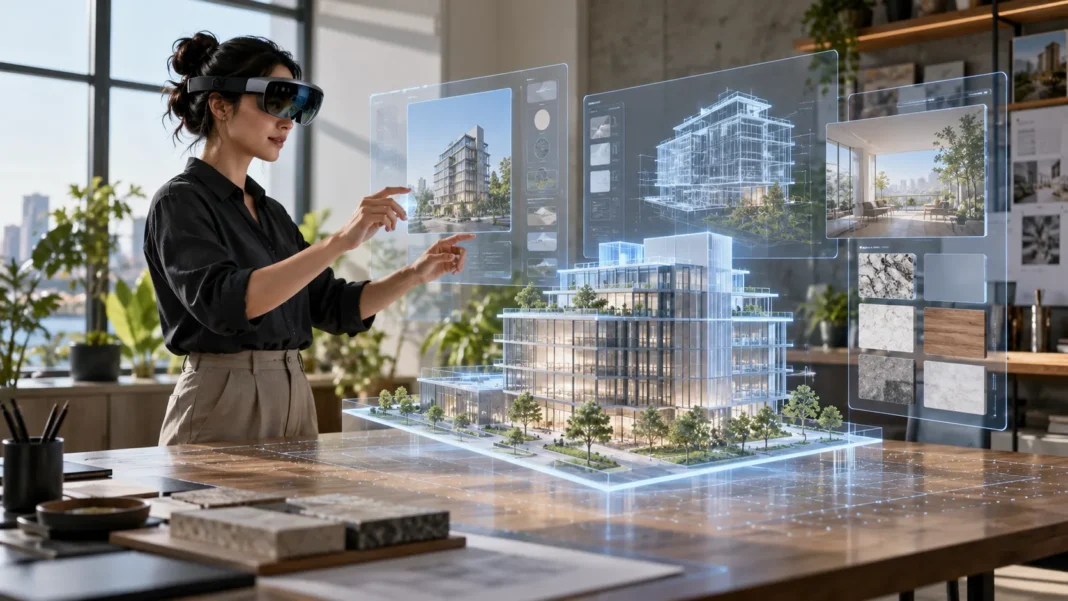
What Is Spatial Computing?
Spatial computing is a way for computers to understand and interact with the physical space around people. A device can sense nearby surfaces, objects, movement, and the user’s position, then place digital information into that environment. Instead of looking only at a flat screen, people can see and work with digital content in relation to the room around them.
The term covers several technologies, including augmented reality, virtual reality, mixed reality, spatial mapping, and 3D interfaces. These tools can help a computer interpret where objects are and how they relate to one another. Depending on the device and task, the experience may blend digital objects with the real world or immerse someone in a computer-generated environment.
Spatial computing is more than wearing a headset or viewing a 3D image. It describes a broader way to connect digital information with physical places and actions. For example, a system might show instructions beside a machine, let a designer inspect a life-sized 3D model, or help a user navigate a building with contextual visual guidance.
How Spatial Computing Works
A spatial computing system combines hardware and software to estimate its position and interpret nearby surroundings. Cameras and other sensors can collect information about the room, surfaces, movement, and distance. Software then uses that information to build a working picture of the environment, often called a spatial map or scene understanding.
The device tracks changes as a person moves their head, hands, or body. This tracking helps digital objects appear anchored to a location rather than fixed to the screen. If a virtual label is placed beside a real object, the system can adjust its view as the user changes position, creating a more convincing connection between digital and physical space.
Some systems also recognize gestures, voice commands, eye movement, or physical objects. These input methods let users select, move, or resize digital content without relying only on a mouse or touchscreen. Spatial interfaces may still use familiar controls, such as a keyboard or controller, depending on the task and the device.
Augmented, Virtual, and Mixed Reality
Augmented reality adds digital elements to a view of the real world. A phone camera can display directions or labels over a live camera image, while smart glasses may place information within a user’s field of view. The physical environment remains visible, with digital content layered onto it.
Virtual reality replaces the user’s view of the physical surroundings with a computer-generated environment. A VR headset can place someone inside a training simulation, a virtual meeting room, or a digital landscape. The experience may respond to head and body movement, making it feel as though the user is looking and moving within that space.
Mixed reality blends digital content with the physical environment in a way that allows the two to interact more closely. A virtual object might appear to rest on a real table or sit behind a physical wall. The boundaries between AR, VR, and MR can vary across products, so spatial computing is often used as an umbrella term for these related experiences.
Devices and Technologies Used in Spatial Computing
Spatial computing can run on phones, tablets, headsets, smart glasses, and specialized workplace equipment. A smartphone can use its camera and sensors for navigation, measuring, or placing virtual objects in a room. Headsets and glasses can offer hands-free viewing, wider visual fields, and more natural interaction with 3D content.
Sensors help devices understand motion and distance. Cameras, depth sensors, inertial measurement units, and eye-tracking components can each provide different information about the user or surroundings. Not every device has all these components, and the accuracy of spatial tracking depends on its hardware, software, lighting, and environment.
Software turns sensor data into useful experiences. Spatial applications may use 3D models, mapping tools, computer vision, artificial intelligence, and real-time rendering. These systems need to keep digital elements aligned with the user’s surroundings as the scene changes, which can require significant processing and careful interface design.
How People Interact with Spatial Interfaces
A spatial interface can let people select digital content by looking at it, pointing, gesturing, speaking, or using a controller. The best input method depends on what someone is doing. A technician wearing gloves may need voice commands, while a designer reviewing a model may prefer hand gestures or a familiar keyboard.
Digital content can be placed around a user rather than confined to one rectangular display. A person might spread reference materials across virtual panels or position a 3D model beside a real workbench. This can make information feel connected to the task, though placing too much content in view can become distracting.
Good spatial design takes comfort and clarity into account. Controls should be easy to find, text should remain readable, and important actions should not require awkward movements. Designers also need to consider how users move through a room, since a digital interface should not encourage someone to overlook physical obstacles or nearby people.
Why Spatial Computing Matters
Spatial computing matters because people do not experience the world as a collection of disconnected screens. We understand distance, direction, objects, and movement through our surroundings. When digital information appears in the right place and context, it can be easier to connect instructions or data with the real task at hand.
This approach can make some complex information more understandable. A three-dimensional model may reveal shape, scale, or component relationships that are difficult to judge from a flat image. In training, a spatial simulation can let someone practice a process step by step without immediately using real equipment or materials.
Spatial interfaces may also change how people collaborate. Teams in different locations could review the same virtual model, point to details, or discuss a simulated environment together. Whether this works well depends on the technology, network connection, accessibility, and how naturally the experience supports communication.
Practical Uses Across Different Fields
In education and training, spatial computing can help learners explore subjects that involve anatomy, engineering, geography, or equipment. A student might examine a three-dimensional structure from different angles or follow a simulated procedure. These experiences can complement teaching materials, but they work best when they support clear learning goals.
In manufacturing, maintenance, and field service, spatial overlays may show instructions near the equipment they describe. A worker could view a component diagram or step-by-step guidance while keeping attention on a task. Such systems need accurate information and careful workplace testing, especially where mistakes could damage equipment or affect safety.
Design, architecture, and retail are also exploring spatial experiences. Designers can inspect virtual buildings or products at realistic scale, while shoppers may preview how an item could look in a room. Healthcare teams can use 3D visualization for education or planning, though clinical uses require appropriate professional oversight and validation.
Benefits and Opportunities
One potential benefit is context. Instructions, labels, or measurements can appear next to the relevant object, reducing the need to switch attention between a physical task and a separate screen. This may help people understand what information applies to which component or location.
Spatial computing can also support visualization and hands-on learning. People can rotate a digital object, inspect its parts, and see how it fits into a larger environment. For teams, shared 3D spaces can make it easier to discuss a design or process when a flat image does not communicate the full shape or scale.
Hands-free access can be useful when someone needs both hands for work. Smart glasses or headsets may display checklists, remote assistance, or reference material while the user remains focused on an activity. The benefit depends on comfort, visibility, and whether the interface reduces effort instead of adding another device to manage.
Challenges and Limitations
Spatial computing devices can be expensive, heavy, or uncomfortable to wear for long periods. Battery life, field of view, processing power, and connectivity may limit what a device can do. Some experiences also require a clear space, careful calibration, or a particular lighting environment to work reliably.
Privacy needs attention because spatial devices may collect information about a person’s surroundings, movement, voice, or gaze. That data can reveal sensitive details about homes, workplaces, or habits. Organizations should explain what information is collected, why it is needed, how long it is kept, and who can access it.
Accessibility and usability also affect adoption. Some users may experience discomfort, motion sickness, eye strain, or difficulty with gesture-based controls. Applications should provide alternative input methods, readable content, and options that fit different abilities. Organizations also need to consider training, device management, and software support before rolling out spatial technology widely.
Getting Started with Spatial Computing
A practical starting point is to identify a specific task that could benefit from spatial information. Ask whether seeing instructions beside equipment, visualizing a 3D object, or practicing a simulation would make the work clearer. A defined use case helps prevent investing in technology simply because it is new.
Next, test the experience with the people who will use it. Check whether the device is comfortable, the content is easy to read, and the interaction feels natural during a real task. A small pilot can reveal practical problems, such as poor tracking, confusing controls, or interference with existing work routines.
Consider the full cost of adoption, not only the device price. Teams may need software, content creation, training, technical support, and security processes. If a computer or headset accumulates software that is no longer needed, follow a safe removal process to uninstall apps completely on Windows, and review device management policies before deploying new tools.
The Future of Spatial Computing
Spatial computing is developing alongside advances in sensors, displays, graphics, artificial intelligence, and wireless networks. Improvements in these areas could make devices smaller, more responsive, and better at understanding surroundings. The pace and direction of progress will depend on technical limits as well as cost, comfort, and user demand.
Future systems may connect spatial interfaces with digital twins, which are virtual representations of physical places, products, or processes. A team could compare a live environment with a digital model or explore how a proposed change might affect a system. The usefulness of these tools depends on accurate data and regular updates.
Adoption will likely vary by task and industry. Some people may use spatial features through phones or lightweight glasses, while others may rely on immersive headsets for specialized training or design. The technology will matter most when it solves a real problem in a way that is useful, comfortable, and trustworthy.
Conclusion
Spatial computing connects digital information with the physical world through technologies such as augmented reality, virtual reality, mixed reality, sensors, and spatial interfaces. It helps devices respond to a user’s position and surroundings, making some information and experiences feel more connected to real tasks.
Its potential uses span training, design, manufacturing, education, retail, and collaboration. The value depends on choosing a suitable use case and designing an experience people can use comfortably. Privacy, accessibility, cost, and technical reliability also need attention.
Spatial computing is not simply a new type of screen; it is a different way to interact with digital content in space. As devices and software improve, it may become useful in more everyday workflows. Its lasting impact will depend on whether it makes important tasks clearer or easier.
FAQs
What is spatial computing in simple terms?
Spatial computing lets computers understand physical surroundings and place digital information within them. People can interact with virtual objects, instructions, or interfaces in relation to real spaces.
Is spatial computing the same as virtual reality?
No. Virtual reality immerses users in a digital environment, while spatial computing also includes experiences that combine digital content with the physical world, such as augmented and mixed reality.
What devices are used for spatial computing?
Spatial computing can use smartphones, tablets, smart glasses, VR or mixed-reality headsets, cameras, and spatial sensors. The devices needed depend on the application and level of immersion.
How is spatial computing used in business?
Businesses may use it for training, equipment guidance, product design, architecture, remote collaboration, and visualizing 3D data. The best applications solve a specific work problem and are tested with users.
Why is spatial computing important?
It can connect digital information to real objects and places, which may make certain tasks easier to understand or perform. Its impact depends on usability, privacy, comfort, and practical value.