


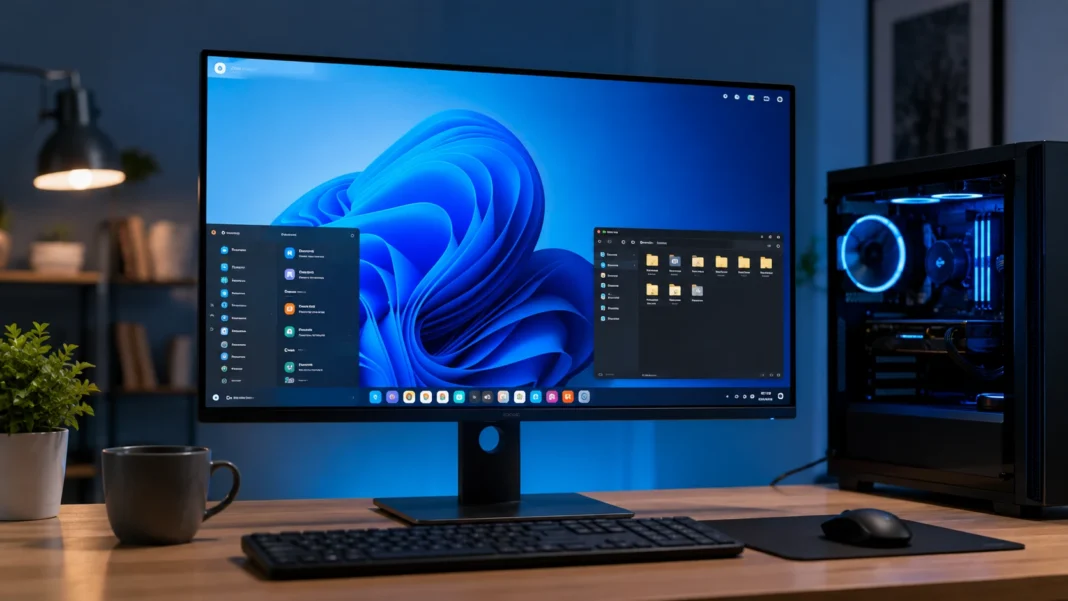
What Is an OS? Operating Systems Explained Simply
An OS, short for operating system, is the core software that helps a computer, smartphone, tablet, server, or other digital device work. It sits between the hardware and the applications you use, coordinating resources so programs can run without needing to control every component directly. When you open a browser, save a file, connect headphones, print a document, or switch between apps, the operating system manages much of the work happening behind the scenes. Popular examples include Windows, macOS, Linux, Android, and iOS. Although these platforms look different, they all perform the same fundamental job of making hardware useful and manageable for people and software.
Without an operating system, using a modern computer would be dramatically more complicated. Every application would need to understand exactly how to communicate with the processor, memory, storage drive, display, keyboard, network hardware, and other components. The OS creates common rules and services that applications can use instead. This abstraction allows a web browser or photo editor to run on supported hardware without individually controlling each electronic component. It also prevents applications from competing chaotically for system resources. By managing these interactions centrally, the operating system creates a more stable, secure, and predictable computing environment for both users and developers.
Operating systems are responsible for much more than showing a desktop or home screen. They manage running processes, allocate memory, organize files, control hardware devices, enforce user permissions, handle network connections, and provide security mechanisms. Modern operating systems also manage power consumption, background services, notifications, application permissions, updates, and cloud-related features. Many provide built-in tools for accessibility, backup, encryption, account management, and troubleshooting. This broad responsibility explains why an OS affects nearly every part of the user experience. Performance, battery life, security, software compatibility, and even how easily a device can be maintained are all influenced by operating system design.
The term OS applies to far more devices than traditional laptops and desktop computers. Smartphones rely on mobile operating systems, data centers use server operating systems, and routers often run specialized network platforms. Cars, televisions, smart watches, industrial machines, game consoles, medical equipment, and Internet of Things devices may also contain operating systems. Some are designed for complex graphical applications, while others are extremely small and focus on performing a limited set of tasks reliably. Real-time operating systems are even built for situations where responses must happen within predictable time limits. The concept therefore extends across almost every layer of modern digital technology.
This guide explains what an OS is, how operating systems work, their most important functions, major types, common examples, and how they differ from applications and firmware. It also explores kernels, device drivers, memory management, file systems, multitasking, security, and system updates in simple language. Semantic terms such as system software, computer resources, process management, user interface, hardware management, operating system functions, and software compatibility are included naturally throughout the article. The goal is not to turn readers into operating system engineers. Instead, it is to provide enough understanding that everyday computing terms and technology decisions become significantly easier to understand.
What Is an Operating System?
An operating system is a collection of system software that manages a device’s hardware and provides services for applications. It creates an organized environment in which programs can use resources such as processing power, memory, storage, displays, and network connections. Instead of allowing every application to control hardware independently, the OS establishes a controlled layer between software and physical components. This structure improves reliability because applications follow standardized methods for requesting system resources. It also improves security by limiting what individual programs can access. In simple terms, the operating system acts like a manager that coordinates everything a computer needs to perform useful work.
The OS begins working very early when a device starts. After initial firmware performs basic hardware checks and prepares the system, the operating system is loaded into memory. Core parts of the OS then initialize important components, start essential services, recognize connected hardware, prepare storage systems, and eventually present a login screen or user interface. This startup process happens quickly on modern devices, so users rarely notice the number of tasks involved. Once startup is complete, the operating system continues running in the background. Even when no visible application is open, the OS is still monitoring hardware, managing memory, maintaining network services, and responding to system events.
One of the most useful ways to understand an operating system is to think of it as an intermediary. Applications generally do not access hardware directly because doing so could create compatibility and security problems. Instead, they ask the operating system to perform tasks on their behalf. A music app requests audio services, a browser requests network access, and a word processor asks the system to store files. The operating system translates these requests into actions that hardware can understand. Developers can therefore build applications using standardized interfaces rather than learning the electrical details of every processor, drive, display, or network adapter a user might have.
The operating system also creates boundaries between programs. If several applications run simultaneously, each may need processor time, memory, disk access, network bandwidth, and input from the user. The OS decides how these resources should be shared. It can pause one process temporarily, prioritize another, allocate additional memory, or stop a program that becomes unresponsive. These controls prevent one poorly behaved application from automatically taking over the entire computer. Modern systems add stronger forms of isolation to reduce security risks as well. This management role becomes particularly important as devices run dozens or even hundreds of processes simultaneously in the background.
Users interact with operating systems through graphical interfaces, command-line tools, touch controls, voice systems, accessibility features, and application menus. Windows and macOS provide desktop environments centered around windows, icons, files, and task controls. Android and iOS use touch-oriented interfaces designed around mobile applications. Linux can provide many different graphical desktop environments or operate almost entirely through command-line tools on servers. The interface may therefore vary significantly even when the underlying responsibilities remain similar. An operating system should not be defined only by what appears on the screen. The visible interface is just one layer built above deeper resource management and hardware control systems.
How Does an Operating System Work?
An operating system works by coordinating hardware resources and providing controlled services that software can request. At the center of many operating systems is a component called the kernel, which handles critical low-level responsibilities. The kernel communicates closely with the processor, memory, and other hardware while controlling how applications access those resources. It manages processes, responds to hardware events, and helps enforce boundaries between different parts of the system. Applications normally run with fewer privileges than the kernel, which reduces the chance that ordinary software can directly damage critical system functions. This separation is one of the foundations of modern operating system architecture and security.
When you launch an application, the operating system creates a process for it and assigns the resources needed to begin running. The program’s instructions and data are placed into memory, while the processor receives tasks that must be executed. If several programs are open, the OS rapidly switches processor attention between them or distributes work across multiple processor cores. This happens so quickly that users experience the applications as running at the same time. Background processes receive resources as well, although they may be assigned lower priority. The operating system constantly makes scheduling decisions to keep the device responsive while balancing performance, energy consumption, and application requirements.
Memory management is another major part of how an operating system functions. Applications need random-access memory to store information while they are running, but available memory is limited. The OS tracks which areas of memory are being used and assigns space to different processes. Modern operating systems also use virtual memory, which allows each application to operate within a controlled address space rather than directly managing physical memory locations. If available RAM becomes limited, the system may move some less active information to storage temporarily. This approach helps devices run larger or more numerous applications, although excessive memory pressure can still reduce performance significantly.
Input and output operations are also coordinated by the OS. When you type on a keyboard, move a mouse, touch a screen, save a file, connect a USB device, or play audio, hardware generates events or receives commands. Device drivers help the operating system communicate with specific hardware components using standardized methods. Applications can then use system services without needing to know exactly which keyboard, graphics card, printer, or storage device is installed. This driver model makes modern computing far more flexible. Hardware manufacturers can create compatible drivers while application developers continue using the operating system’s established programming interfaces.
Many actions users consider simple therefore involve multiple operating system layers. Opening a photograph may require the file system to locate data, storage drivers to retrieve it, memory management to allocate space, the processor scheduler to execute decoding software, and graphics services to display the result. Security permissions may also determine whether the application is allowed to access the file. Network services could become involved if the photograph is stored in the cloud. All of these operations can happen within moments. The operating system makes them appear simple by hiding much of the underlying complexity and presenting applications with consistent, manageable services.
Core Functions of an Operating System
Process management is one of the most fundamental operating system functions. A process is essentially a running instance of a program, although complex applications may create several processes or threads at the same time. The OS starts processes, schedules processor time, tracks their status, and eventually terminates them when they finish. It must also handle situations where multiple processes need access to shared resources. Scheduling algorithms determine which tasks should receive processor attention and for how long. This becomes increasingly complex on systems with multiple processor cores. Good process management keeps applications responsive while preventing background work from consuming resources needed by more important tasks.
Memory management allows programs to use RAM safely and efficiently. Each running application requires space for instructions, temporary calculations, open documents, images, and other information. The operating system keeps track of allocated memory and prevents programs from freely reading or overwriting memory belonging to other processes. Virtual memory provides another layer of organization by giving applications controlled address spaces. The OS may also use storage as temporary overflow when physical memory becomes limited. Efficient memory management improves multitasking and system stability. Poor memory conditions, by contrast, can cause slowdowns, application crashes, excessive storage activity, or failure to launch additional programs.
File management is another central responsibility. Operating systems use file systems to organize information stored on SSDs, hard drives, memory cards, and other storage devices. Files are grouped into folders or directories, assigned names, and associated with metadata such as size, creation time, and permissions. The OS tracks where data is physically stored while presenting users and applications with a logical structure that is easier to navigate. File systems also help protect data from unauthorized access or accidental corruption. Different operating systems may support different file system formats, which can influence compatibility when storage devices move between computers. Reliable file management is essential for almost every application.
Device management allows the operating system to coordinate hardware such as displays, graphics processors, network adapters, keyboards, cameras, printers, storage drives, and audio equipment. Device drivers serve as translators between the operating system and hardware-specific instructions. When users connect a new device, the OS may automatically identify it and install or activate an appropriate driver. Standardized interfaces allow applications to work with many different hardware models without requiring individual support for each one. Device management also handles resource conflicts, hardware status, and power-related behavior. Without this layer, installing or replacing computer components would require far more technical knowledge from users and software developers.
Security and user management complete another major part of the OS role. Modern systems support user accounts, passwords, authentication methods, file permissions, application privileges, encryption, firewalls, security updates, and other protective mechanisms. The operating system determines whether a user or program is authorized to access specific resources. It can separate administrator privileges from ordinary activities so every application does not receive complete control of the machine. Mobile systems often go further by requiring apps to request permission for cameras, microphones, location data, and files. These controls cannot eliminate every threat, but they create important barriers against malware, unauthorized access, accidental damage, and privacy violations.
Types of Operating Systems
Desktop operating systems are designed primarily for personal computers such as laptops and desktop workstations. They typically provide graphical interfaces that support multiple windows, keyboards, mice, external displays, storage devices, and a wide range of applications. Windows and macOS are well-known commercial examples, while Linux distributions provide numerous desktop alternatives. These systems are designed for varied tasks such as web browsing, productivity, gaming, programming, media creation, and communication. Desktop operating systems usually provide more direct file access and hardware flexibility than mobile platforms. They also support large application ecosystems and extensive peripheral compatibility, making them suitable for both casual users and professional computing environments.
Mobile operating systems are optimized for smartphones, tablets, and other touch-focused devices. Android and iOS dominate this category, providing interfaces designed around touch gestures, mobile applications, wireless connectivity, cameras, sensors, and battery efficiency. Mobile systems place strong emphasis on application isolation and permissions because users frequently install software from many different developers. Background activity is also carefully controlled to preserve battery life and system responsiveness. Mobile operating systems integrate tightly with features such as GPS, cellular networks, biometrics, notifications, cameras, and app stores. Although smartphones are powerful computers, their operating systems prioritize portability, security, and touch interaction differently from traditional desktop environments.
Server operating systems are built to provide services to other computers and users over networks. A server may host websites, databases, file storage, business applications, virtual machines, email systems, or cloud infrastructure. Linux is widely used in server environments, while specialized editions of Windows also support enterprise workloads. Server operating systems prioritize stability, scalability, security, remote administration, networking, and the ability to run continuously for long periods. They may operate without a graphical desktop because administrators often control them through command-line tools or remote interfaces. Server workloads can range from a small office file server to enormous cloud platforms supporting millions of users.
Embedded operating systems run inside devices that perform specific functions rather than acting as general-purpose computers. Routers, televisions, cameras, payment terminals, appliances, cars, industrial machines, and medical equipment may all use embedded operating systems. These systems are often designed around limited hardware resources and carefully defined responsibilities. Some include graphical interfaces, while others operate invisibly without direct user interaction. Reliability, low power consumption, compact size, and predictable behavior can be more important than supporting thousands of applications. Embedded Linux is used in many products, while other platforms are designed specifically for constrained devices. The operating system is often customized extensively for the hardware and product requirements.
Real-time operating systems, often called RTOS platforms, are designed for applications where timing must be predictable. In an ordinary desktop system, a small delay may be annoying but acceptable. In industrial control, robotics, automotive systems, aerospace equipment, or medical devices, certain operations may need to occur within strict deadlines. An RTOS focuses on deterministic scheduling so high-priority tasks can respond within known time limits. Real-time does not simply mean very fast; it means predictable enough to satisfy timing requirements. Some systems require extremely strict guarantees, while others tolerate limited timing variation. This category shows how operating system design changes according to the risks and requirements of the device being controlled.
Popular Examples of Operating Systems
Microsoft Windows is one of the most widely recognized desktop operating systems and is commonly used on personal computers, business machines, gaming systems, and professional workstations. It supports an enormous range of software and hardware, which has helped maintain its importance across consumer and enterprise computing. Windows provides a graphical desktop, file management tools, networking, security features, application support, and extensive compatibility with peripherals. Businesses often use centralized management tools to control large numbers of Windows computers. Gamers also benefit from broad support across the PC gaming ecosystem. Because hardware configurations vary widely, Windows must work across many processors, graphics systems, storage devices, and computer manufacturers.
macOS is Apple’s desktop operating system for Mac computers. It combines a Unix-based foundation with a graphical interface and tight integration with Apple hardware and services. Because Apple controls both the operating system and the computers on which it officially runs, hardware and software can be designed closely together. macOS is popular among creative professionals, software developers, students, businesses, and general consumers. It supports desktop applications, advanced security features, file management, networking, and synchronization with other Apple devices. The operating system also provides command-line tools familiar to users of Unix-like environments. Its ecosystem emphasizes integration between Macs, iPhones, iPads, cloud services, and accessories.
Linux refers to a broad family of operating systems built around the Linux kernel rather than one single commercial desktop platform. Different Linux distributions package the kernel with system tools, graphical interfaces, package managers, and applications. Popular distributions are used for desktop computing, software development, servers, cloud infrastructure, cybersecurity, networking, and embedded devices. Linux is particularly important on web servers and cloud platforms because of its flexibility, automation capabilities, stability, and open-source ecosystem. Users can customize Linux extensively, although the experience varies greatly between distributions. Some versions are designed for beginners, while others target experienced administrators, developers, or specialized technical environments.
Android is a mobile operating system used across smartphones, tablets, televisions, automotive systems, and other devices. It is built on a Linux-based foundation but provides its own application framework, security model, user interface environment, and developer ecosystem. Many hardware manufacturers customize Android with different visual interfaces and additional features. This flexibility has allowed the platform to appear on devices across a wide range of prices and specifications. Android apps generally run within controlled environments and request permissions for sensitive capabilities such as location, cameras, microphones, and storage. The operating system also manages mobile networks, touch input, background processes, notifications, and battery consumption.
iOS is Apple’s mobile operating system for the iPhone and is designed around tight integration between hardware, software, security, and Apple services. It manages touch interaction, applications, notifications, wireless connectivity, cameras, sensors, privacy permissions, and battery usage. Apple distributes iOS updates directly to supported devices, allowing security patches and new features to reach compatible hardware through a centralized process. Applications are typically installed through controlled distribution channels, and the operating system uses sandboxing to limit access between apps. Although iOS differs significantly from desktop operating systems in interface and usage, it still performs the same foundational responsibilities of managing hardware resources, processes, storage, security, and application services.
Operating System vs Application Software and Firmware
An operating system is different from application software because the two layers serve different purposes. The OS manages the computer itself, while applications help users perform specific tasks. Microsoft Word, web browsers, games, messaging apps, photo editors, and spreadsheets are examples of application software. These programs depend on operating system services to access files, display graphics, connect to networks, and receive keyboard or touch input. If an application crashes, the operating system can often continue running because the program operates within a managed environment. When the operating system itself fails severely, however, many or all applications may stop because their underlying platform is no longer functioning correctly.
Applications are normally written for specific operating system environments or cross-platform frameworks. A program designed for Windows cannot automatically run on every version of macOS or Linux because application interfaces, system libraries, file structures, and software packaging differ. Developers may create separate versions or use technologies that support multiple systems. This explains why software compatibility matters when choosing an operating system. Users who depend on specialized business, engineering, design, or gaming applications should confirm platform support before switching systems. An operating system may be technically excellent while still being unsuitable for a particular user if essential applications do not run properly on it.
Firmware is another layer that is frequently confused with the operating system. Firmware is software stored relatively close to hardware and is generally responsible for controlling or initializing specific devices. Computers use firmware to perform early startup tasks before the main operating system loads. Routers, SSDs, keyboards, cameras, and many other electronic components also contain firmware. Unlike full operating systems, firmware often has a narrow purpose tied directly to particular hardware. It may be updated occasionally to correct problems or add functionality. The boundaries can become blurry in embedded devices, but the general distinction remains useful: firmware controls hardware at a low level, while an OS manages broader system resources and applications.
Device drivers form another important part of the software stack. A driver allows the operating system to communicate with a particular hardware component or class of devices. Graphics cards, printers, audio interfaces, network adapters, and storage controllers commonly depend on drivers. Some drivers are included with the operating system, while others may be installed through system updates or hardware manufacturers. Drivers are not usually complete operating systems or user applications. Instead, they provide specialized communication between hardware and the OS. Poorly functioning drivers can cause instability, performance problems, or missing hardware features, which is why keeping critical drivers compatible with operating system updates can be important.
Thinking about these layers as a stack makes their relationship easier to understand. Hardware sits at the physical level, firmware helps initialize and control components, drivers connect hardware capabilities to the operating system, and the OS manages resources for applications. Applications then provide the tools users interact with directly to perform useful tasks. In reality, modern computing architectures can be more complicated, but this simplified model explains many common troubleshooting situations. If a printer does not work, the issue might involve hardware, firmware, a driver, the operating system, or the application trying to print. Understanding the layers helps users narrow problems instead of treating every computer failure as an operating system issue.
Why Operating System Security and Updates Matter
Operating system security matters because the OS controls access to many of the most sensitive parts of a device. Files, passwords, cameras, microphones, network connections, applications, and hardware resources all depend on system-level permissions. Attackers who gain deep operating system access may be able to bypass protections that would stop ordinary applications. Modern systems therefore use security mechanisms such as user authentication, application isolation, encryption, secure startup processes, memory protections, and permission models. No platform can completely eliminate security risks, but layered defenses make successful attacks more difficult. Keeping these defenses current is one reason operating system maintenance remains important throughout the life of a device.
Security updates fix vulnerabilities discovered after an operating system has been released. Software is extremely complex, and weaknesses can be identified months or years after development. Once a vulnerability becomes publicly known, attackers may attempt to exploit devices that remain unpatched. Updates can modify system components, browsers, networking services, drivers, and security libraries to close these weaknesses. Some patches are small, while larger updates may include broader platform changes. Users sometimes delay updates because they fear interruptions or compatibility problems, but permanently ignoring security fixes creates increasing risk. Regular updates are therefore an important part of responsible device maintenance.
Major operating system updates can also introduce new features, redesigned interfaces, improved performance, and support for newer hardware or software standards. However, larger changes may require more preparation than routine security patches. Businesses often test updates before deploying them widely because specialized software or hardware could experience compatibility issues. Individual users can also reduce risk by keeping important files backed up and ensuring adequate storage before major upgrades. Older devices may eventually stop receiving new operating system versions when hardware can no longer support current requirements. At that point, continued security support becomes an important factor when deciding whether the device remains suitable for sensitive tasks.
Application permissions have become another major area of operating system security. Mobile systems commonly ask users whether an app should access location, contacts, photos, cameras, microphones, or other sensitive data. Desktop systems increasingly use similar controls. These permissions allow users to restrict software to the capabilities it genuinely needs. Granting every request automatically can weaken privacy, while denying essential permissions may prevent an application from functioning correctly. Operating systems attempt to balance usability with protection by showing prompts, privacy dashboards, and settings. Reviewing permissions periodically can help users understand which applications have access to sensitive resources and remove access that is no longer necessary.
Backups, encryption, strong authentication, and supported software work together with operating system security rather than replacing it. A fully updated OS cannot protect files from every type of hardware failure or accidental deletion, which is why backups remain essential. Encryption can protect stored information if a device is lost or stolen. Strong passwords, passkeys, biometrics, and multi-factor authentication help reduce unauthorized account access. Users should also remove software they no longer need because unnecessary applications can increase the number of potential vulnerabilities. Good operating system security is therefore not a single setting. It is an ongoing combination of updated software, sensible permissions, secure accounts, reliable backups, and informed user behavior.
How to Choose the Right Operating System
The best operating system depends first on what you need the device to do. A gaming computer may prioritize software compatibility, graphics support, and hardware flexibility, while a creative workstation may depend on particular editing applications or specialized peripherals. A programmer could value command-line tools, virtualization, or specific development environments. Business users may care more about centralized management, security policies, and compatibility with corporate software. Students may prioritize affordability, battery life, and access to common productivity applications. There is no universally perfect operating system because different platforms make different trade-offs. Starting with required software and workflows is therefore more useful than choosing based only on popularity.
Hardware compatibility should be the next consideration. Some operating systems are designed for a narrow range of devices, while others support thousands of hardware combinations. Before changing the OS on an existing computer, users should check processor requirements, available memory, storage, graphics support, wireless hardware, and driver availability. A system that technically installs but lacks reliable graphics or network drivers can create a frustrating experience. New computers simplify this problem because manufacturers normally ship an operating system validated for the hardware. Enthusiasts installing alternative systems should research compatibility carefully. Hardware support becomes particularly important for laptops containing specialized touchpads, fingerprint readers, cameras, power-management features, or proprietary components.
Software ecosystem is equally important because an operating system is valuable only if it supports the tools you need. Mainstream web applications work on almost every modern platform, but specialized professional software may be limited to specific systems. Games, accounting packages, engineering tools, creative suites, corporate applications, and industry-specific programs can all affect the decision. Cloud-based software has reduced some platform dependence because many tools now run inside browsers. However, local applications remain important for performance, offline use, hardware integration, and advanced workflows. Before switching operating systems, create a list of essential programs and confirm whether native versions or suitable alternatives are available.
Ease of use and maintenance also influence the right choice. Some users want a familiar interface that requires minimal technical configuration, while others enjoy extensive customization and system control. Managed business environments may prioritize predictable updates and centralized administration. Technical users might value open-source tools and the ability to change low-level system behavior. Mobile operating systems generally emphasize simplicity and tightly controlled application ecosystems. Desktop platforms offer greater flexibility but can require more maintenance depending on hardware and software complexity. The correct balance depends on the user’s comfort level. More customization is not automatically better if it creates additional support problems that provide no practical benefit.
Security support and update lifespan should be part of every operating system decision. A platform that no longer receives security patches becomes increasingly risky for internet-connected use, especially when sensitive personal or business information is involved. Buyers should consider how long devices are likely to receive updates rather than looking only at current features. Business users may need longer support cycles than casual consumers. Privacy controls, encryption options, application isolation, and authentication features also differ between systems. Ultimately, the best OS combines the required applications, reliable hardware support, manageable maintenance, acceptable security, and a user experience that fits the person operating the device.
Conclusion
An operating system is the foundational software that makes modern computing devices practical to use. It manages processors, memory, storage, files, hardware devices, applications, networks, and user permissions while providing a consistent environment for software. Without an OS, every program would need to control hardware directly, creating enormous complexity and instability. The operating system hides much of that technical work behind standardized services and interfaces. Whether you are using a laptop, phone, server, television, or embedded device, some form of operating system is often coordinating what happens inside. This makes the OS one of the most important software layers in modern technology.
The kernel sits near the center of many operating systems and handles critical low-level responsibilities such as process scheduling, memory management, hardware communication, and privilege control. Device drivers help the system communicate with specific components, while file systems organize stored information. User interfaces make these deeper services accessible through desktops, windows, touchscreens, commands, and menus. Applications then build on top of these system services to perform specific tasks. Understanding these layers explains why an operating system is much more than the screen users see after a device starts. Most of its essential work happens continuously in the background.
Different operating systems are designed for different environments. Desktop systems support personal computing and professional applications, mobile platforms focus on touch interaction and battery efficiency, and server systems prioritize networking, reliability, and scalability. Embedded systems operate inside specialized hardware, while real-time operating systems focus on predictable timing. Windows, macOS, Linux, Android, and iOS demonstrate how the same core operating system concepts can be implemented in very different ways. Each platform has its own software ecosystem, hardware requirements, security model, and user experience. Choosing between them should therefore be based on actual needs rather than assuming one platform is best for everyone.
Security and updates are also essential parts of operating system ownership. The OS controls access to sensitive resources, making vulnerabilities particularly important to fix. Regular updates, supported hardware, strong authentication, sensible permissions, encryption, and backups all contribute to a safer computing environment. Older systems that stop receiving security updates may eventually become unsuitable for sensitive online activity. Users should therefore consider support lifespan when purchasing devices or deciding whether to continue using older hardware. Maintaining the operating system is not simply about receiving new visual features. It is a fundamental part of keeping devices reliable, compatible, and protected over time.
For everyday users, the simplest answer to “What is an OS?” is that it is the software responsible for running and managing the device. It gives applications access to hardware, keeps programs organized, stores files, manages users, provides security, and creates the interface through which people interact with technology. Understanding this basic definition makes many other computer concepts easier to learn, including drivers, RAM, processes, storage, applications, and system updates. Operating systems may operate mostly out of sight, but they affect almost every digital task users perform. From opening a browser to managing an entire data center, the OS provides the foundation that makes modern software possible.
FAQs About Operating Systems
What does OS stand for?
OS stands for operating system. It is the core system software that manages a device’s hardware, applications, files, memory, processes, and other computing resources.
What are the most common operating systems?
Common operating systems include Microsoft Windows, macOS, Linux, Android, and iOS. Different platforms are designed for desktops, laptops, smartphones, servers, and other types of digital devices.
Is an operating system software?
Yes, an operating system is system software. Unlike application software designed for individual tasks, the OS manages the computer itself and provides services that applications need to function.
Can a computer work without an operating system?
A computer can technically execute limited software without a traditional operating system, but general-purpose computing would become far more difficult. Most modern computers rely on an OS to manage hardware, files, applications, users, and system resources.
What is the main purpose of an operating system?
The main purpose of an operating system is to manage hardware resources and provide a stable environment in which applications can run. It also handles processes, memory, files, devices, security, networking, and user interaction.